AI security projects often stall in the rollout. There is a ticket queue to wait in, a change window to schedule, and then a round of emails asking employees to install something, approve a prompt and sign in. Meanwhile, the AI tools the project is meant to cover are already running on their laptops.
Those laptops are also the one place IT can already reach. If your company manages its fleet with an MDM or RMM, you already have the rollout path for on-device AI security. It is the easy way to deploy, and it is also the way that makes the result dependable, because your MDM can grant what an employee-led install has to ask for. That is how Traceforce is built to deploy.
Why the device matters
Coding agents, desktop AI apps and local MCP servers can talk to each other inside the laptop, so those calls never cross the network. If the activity happens on the device, the visibility has to live there too.
Why the rollout belongs in your MDM
An on-device security tool is only as reliable as the way it got there. When a rollout depends on employees, every install, permission and sign-in is a step someone can skip, postpone or undo, usually for the ordinary reason that they have work to do. The security team ends up with partial visibility that looks complete, which is harder to act on than a known gap.
Four pieces have to land on each device, and each one is stronger coming from the MDM than from the person using the laptop.
Disk access
Traceforce's binaries use Full Disk Access to monitor AI software in locally installed applications, which is the activity that stays on the device. On a Mac, that permission normally sits behind a manual toggle in System Settings. Apple's Privacy Preferences Policy Control payload lets an organization set it ahead of time, and Apple lists that payload as requiring a device management service to install. So the MDM is more than a shortcut here. It is the supported way to grant this access without asking every employee to do it.
The browser extension
AI use in the browser needs its own coverage, so Traceforce adds an extension for Chrome and Edge. An extension an employee adds from a store can be removed just as easily. Pushed as a managed policy, it is force-installed and end users can't disable it, so browser visibility stays in place regardless of anyone's extension habits.
Credentials
Each device needs a client ID and secret to report to your Traceforce account. Handling those by hand would mean sharing a secret with every employee. Through the MDM, they are passed as deployment parameters and stored by the system. On a Mac they go in the system keychain, where end users can't read or modify the client ID. On Windows they go in the SYSTEM Credential Manager, where end users can't modify them. Employees have nothing to sign into, so there is no account to set up and no password to reset.
The install itself
On Windows, the Intune app installs as SYSTEM with one silent command and no forced restart. On a Mac, a Jamf policy runs the package and install script once per computer at the next check-in. Nobody stops work to click through an installer, and the software arrives on the schedule IT already manages.
Scope and status stay in your console
Because deployment is a group assignment, you decide coverage by deciding group membership. You can start with a pilot group and widen it when you are ready. With a smart group in Jamf or a dynamic group in Intune, devices that match the rule come into scope on their own. Intune reports install status and errors, and the Jamf setup includes an uninstall script, so removal can run through the same console as the rollout. There is no separate deployment system to approve, learn or maintain.
It works with the tools you already run
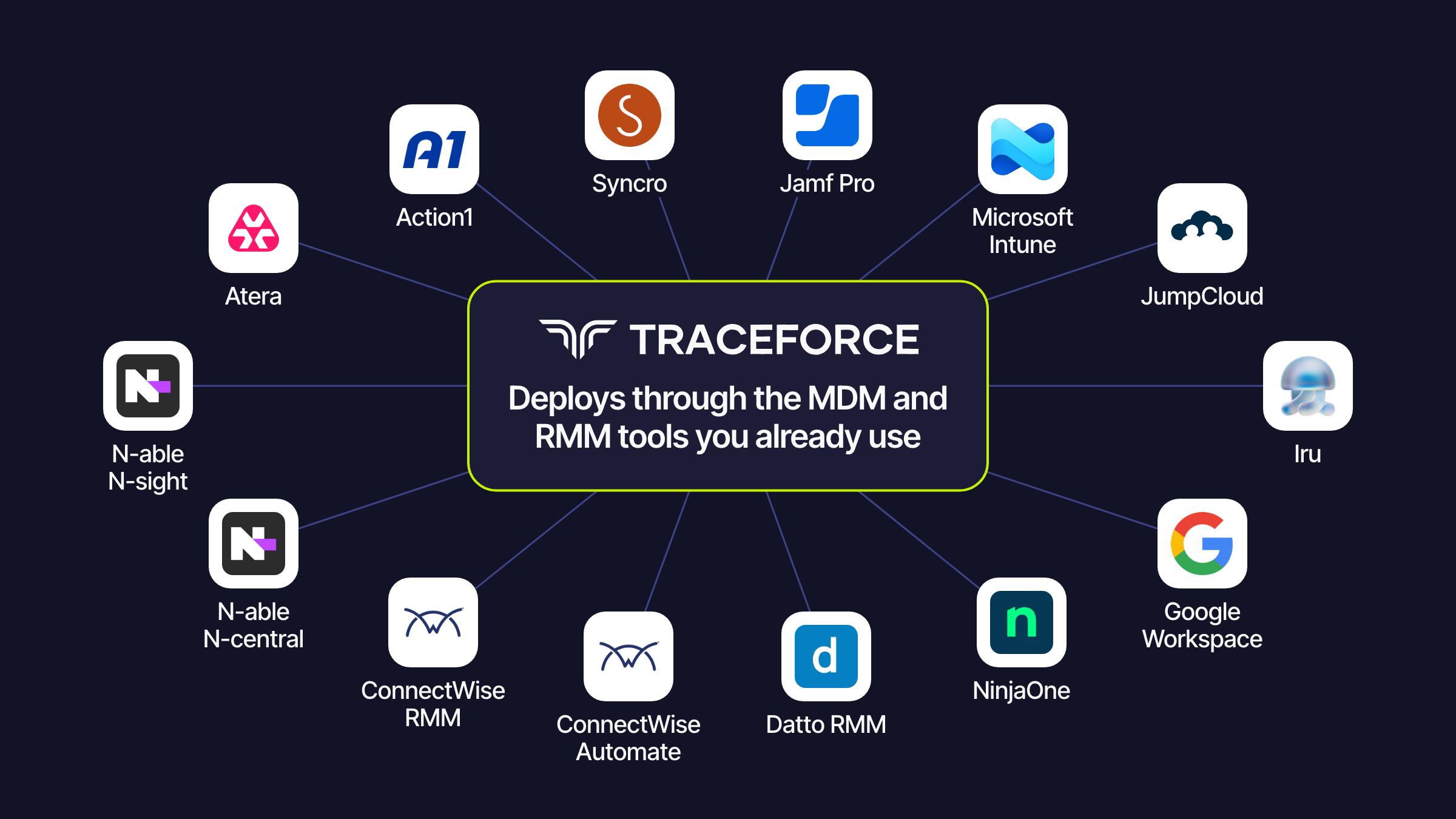
Traceforce deploys through the MDM and RMM tools you already use: Jamf Pro, Microsoft Intune, JumpCloud, Iru, Google Workspace, NinjaOne, Datto RMM, ConnectWise Automate, ConnectWise RMM, N-able N-central, N-able N-sight, Atera, Action1 and Syncro. The installers also include a general script for other MDMs.
Four steps from download to first inventory
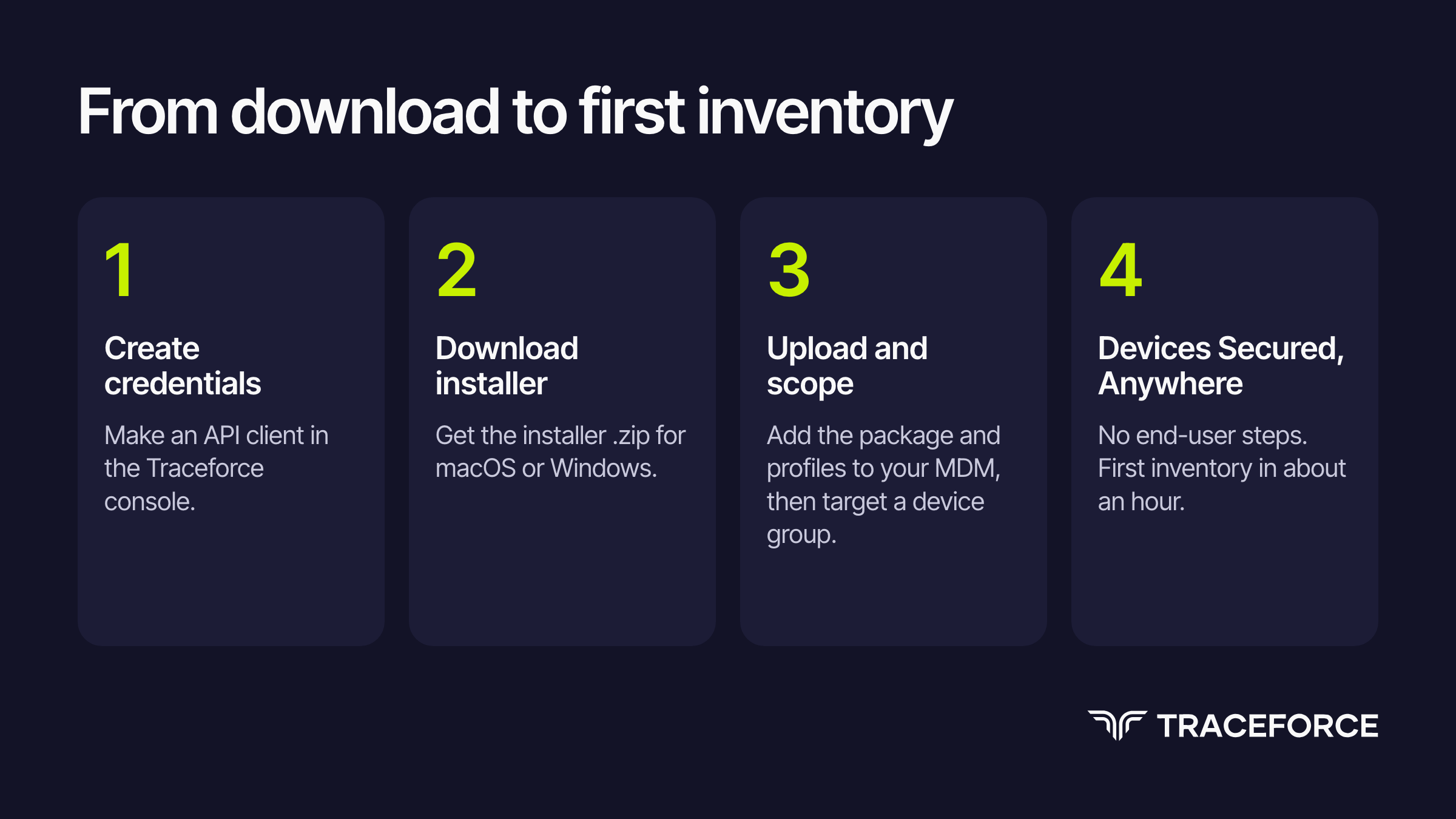
- Create an API client in the Traceforce console to get a client ID and secret.
- Download the installer .zip for macOS or Windows. Each one includes a README with MDM-specific instructions.
- Upload the package and profiles to your MDM, then scope them to a device group.
- Let devices check in. Employees have nothing to install or sign into, and the first inventory usually arrives in about an hour.
Connecting your MDM takes under 15 minutes.
What the rollout looks like for IT
Whichever MDM you run, the rollout is built from the same pieces. A device group sets the scope. Configuration profiles or policies grant disk access and force-install the browser extension. The signed installer for each platform installs silently, with your client ID and secret passed in as deployment parameters. Devices pick everything up at their next check-in, and you can confirm it worked by checking that Traceforce appears in the device's installed apps and the extension appears in Chrome or Edge.
Traceforce supports macOS 15.x and 26.x, Windows 10 and 11, and the Stable channel of Chrome and Edge from version 138. Our setup guides have the full details for each MDM.
What IT sees after the first scan
You see every AI app in the registry and how it runs, whether that is a browser, desktop app, CLI, IDE extension or AI browser. You see whether ChatGPT, Claude, Gemini and popular coding assistants are on a personal or company account. You also see the MCP servers and connectors behind each tool.
Try it on a small group
The free trial covers up to 10 devices for 30 days and requires a Google or Microsoft Workspace email. Start with the Quickstart, or go straight to the Jamf Pro or Intune guide.
If you are an MSP, Traceforce for MSPs through PORT1 is the official channel and starts with a free AI Risk Assessment.
Secure your AI attack surface before the breach happens